Guide
The Hidden album’s Face ID lock: what it stops and what it doesn’t
It stops someone you hand your unlocked phone to, but not anyone who knows your iPhone passcode. From iOS 16, Photos keeps its album for set-aside photos, and Recently Deleted, locked by default: they open with Face ID, Touch ID or your iPhone passcode. One switch in Settings turns it off. The album can be taken off the list without any check. And two of Apple’s own pages disagree on whether an app with Full Access can read it. If the album has gone missing, a Settings switch is the usual reason.

On this page
What the lock covers
A photo or video you move to the Hidden album leaves the Library, your other albums and the Photos widget (Apple’s article on the album). From iOS 16 the album is locked by default. To open it you tap View Album and use Face ID, Touch ID or your passcode (Apple’s iPhone guide).
Recently Deleted sits behind the same lock and the same switch (Apple’s deletion article). Whatever stops one album stops the other.
Where the lock stops
- Your iPhone passcode opens it. Apple’s iPhone guide lists the passcode beside Face ID and Touch ID, and offers no face-only choice. Anyone who has watched you type your passcode can open the album.
- One switch turns it off. In Settings, tap Apps, then Photos, and you’ll find Use Face ID (or Use Touch ID, or Use Passcode). Apple’s deletion article says that with it off, the album and Recently Deleted are both unlocked by default. On an iOS 27 Simulator, turning it off asked for Face ID first, which helps only if your face is the one being asked.
- Apple’s pages disagree about apps. Apple’s Photos privacy page says Allow Full Access gives an app your photos and videos, including the ones in this album, even while it is locked. Apple’s developer documentation says that from iOS 16, with the lock on, the system doesn’t return those photos to an app, though you can still pick them in the system photo picker. Until the two agree, give apps Limit Access or none.
- Every synced device is a door. With iCloud Photos on, a photo moved on one device is moved on all of them, and each opens the album with its own unlock. On a Mac that is Touch ID or the login password (Apple’s article on the album). On iCloud.com, Apple’s steps show the album after you sign in, with no further check. Who can open it from iCloud goes through each door.
- Taking it off the list isn’t a stronger lock. Turning off Show Hidden Album removes it from Photos, and its photos aren’t visible there (Apple’s article on the album). On the Simulator, switching it off and on asked for nothing.
- It guards the album, not the files. Apple describes the lock as a check before the album opens. Apple’s security overview also lists whether an item is marked as set aside among the details it keeps under standard protection, even with Advanced Data Protection on.
What a Simulator test showed
In October 2026 the album was tried on an iOS 27.0 Simulator (iPhone Air): one photo and one short clip moved in, then each screen read from its labels, with Face ID simulated. A Simulator is not a phone, so treat this as a check on Apple’s pages, not a replacement.
| What was checked | What the Simulator showed |
|---|---|
| The Library and the Videos album | Each move took one item off the count. Neither moved item was listed. |
| Utilities | The album, with a lock and no item count. |
| Opening it | “Use Face ID or Enter Your Passcode to View This Album”, as Apple’s guide describes. With no face set up, it asked for the passcode only. |
| A face that didn’t match | “Face Not Recognized”, with a button to try again and Cancel. |
| Another app’s photo picker | Safari’s picker left both items out of its main grid. Under Collections it showed the album, asked for a face or passcode, then let both items be picked, as Apple’s developer documentation allows. |
| Settings | Under Apps, Photos, an Albums group held Use Face ID, Hidden Album and Show Recently Viewed & Shared. Apple’s guide calls the second one Show Hidden Album. |
| Lock switched off | Both locked albums opened with no question, as Apple’s deletion article says they would. |
If the album has gone missing
Work down this list (Apple’s missing-photos article and Apple’s article on the album).
- Check the switch. Settings, Apps, Photos: turn Show Hidden Album back on.
- Look in the right place. Photos, Collections, then scroll to Utilities. On an iPad, open the sidebar first. On a Mac, choose View, then Show Hidden Photo Album.
- Unlock it. Tap View Album and use your face, finger or passcode.
- Check Recently Deleted. When you delete photos and videos in Photos, they go to its Recently Deleted album for 30 days, and after that they are permanently deleted.
- Check the library view. With a Shared Library, some photos only show in Personal Library or Shared Library view.
- Check the sync. iCloud Photos must be on, with the same Apple Account on every device.
Where Sealed helps, and where it doesn’t
It helps when you want a lock your iPhone passcode doesn’t open. Sealed has a passcode of its own, a gate inside the app that is separate from your iPhone passcode. You can open Sealed with Face ID or Touch ID, a 4-, 6- or 9-digit passcode, a password or a pattern.
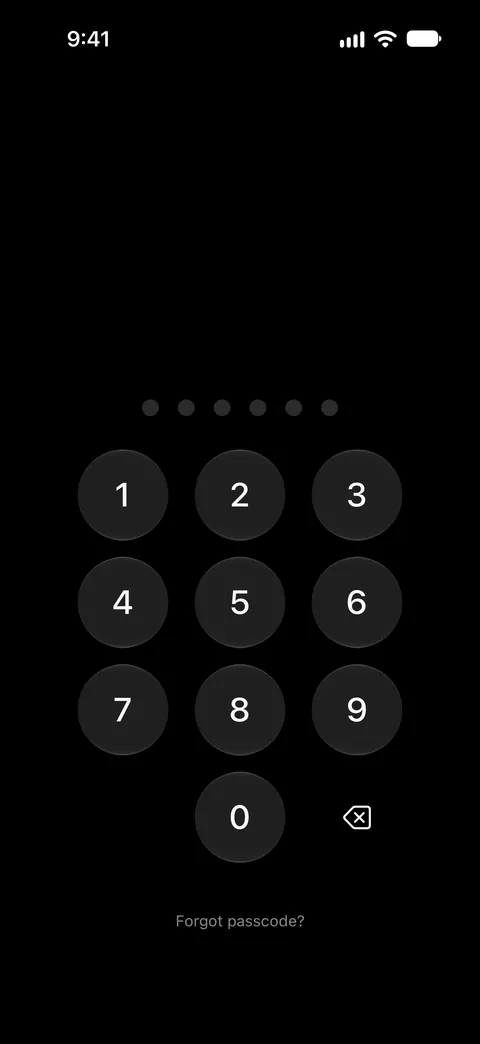
It doesn’t keep that promise in every setup. With plain Face ID unlock on, someone who knows your iPhone passcode can open Sealed through the Face ID prompt. Dual Lock asks for your passcode and a Face ID match together, and it is part of Sealed Pro. Dual Lock’s second step takes Face ID or Touch ID only: your iPhone passcode can’t stand in for it, so one watched passcode can’t do both halves.
It helps slow down someone guessing. By default, after three wrong passcodes in a row Sealed locks entry for 30 seconds, then for 1, 5, 15 and finally 60 minutes after each further wrong try.
It goes further with Maximum Security, if you want the key itself bound to your face. Maximum Security seals your vault key to a Secure Enclave key that can be used only after a live Face ID or Touch ID match. Maximum Security is part of Sealed Pro.
It can’t let you back in without your passcode or your recovery key. Because your key never reaches us, we cannot recover your vault or reset your passcode for you.
To see the album and a vault side by side, read Photos’ locked album and a vault app, compared.
Questions and answers
Can I make the album open with Face ID only?
No setting on Apple’s pages does that. From iOS 16, Photos keeps its album for set-aside photos, and Recently Deleted, locked by default: they open with Face ID, Touch ID or your iPhone passcode. The only choices are that lock, or no lock.
Does turning off Show Hidden Album make it safer?
No. It takes the album off the list in Photos, and anyone holding your unlocked phone can switch it back on. The lock is the switch that matters.
Does Sealed open with my iPhone passcode?
Sealed has a passcode of its own, a gate inside the app that is separate from your iPhone passcode. With plain Face ID unlock on, someone who knows your iPhone passcode can open Sealed through the Face ID prompt. Dual Lock asks for your passcode and a Face ID match together, and it is part of Sealed Pro.
Sources
What this page says about Sealed was checked against the app on .
- Apple iPhone User Guide, delete photos and videos or move them out of the Library (iOS 27) — read 13 Nov 2026; unlocked with Face ID, Touch ID or your passcode; the Use Face ID, Use Touch ID or Use Passcode switch; Show Hidden Album
- Apple Support, the Hidden album in Photos (article 104987) — published March 16, 2026, read 13 Nov 2026; locked by default from iOS 16, where moved photos stop showing, Touch ID or login password on a Mac, off by default on a Mac, iCloud Photos
- Apple Support, Delete photos on your iPhone or iPad (article 104967) — published March 31, 2026, read 13 Nov 2026; turning off Use Face ID also unlocks Recently Deleted
- Apple Support, If you’re missing photos or videos in the Photos app (article 118558) — published April 29, 2026, read 13 Nov 2026; the missing-album checklist, the album on iCloud.com
- Apple Legal, Photos & Privacy — dated 2025-12-12, read 13 Nov 2026; Allow Full Access includes the album’s photos even when it is locked
- Apple Developer Documentation, PHAsset.isHidden — read 13 Nov 2026; from iOS 16, with authentication on, the system doesn’t return those photos to an app; the system picker can still offer them
- Apple Support, iCloud data security overview (article 102651) — published January 5, 2026, read 13 Nov 2026; whether an item is marked as set aside stays under standard data protection
- Sealed on the App Store — the listing for the app this guide compares
Get Sealed
Sealed is free to download, and Sealed Pro is an optional in-app purchase.

Sealed: Private Photo Vault
Sealed is free to download, and Sealed Pro is an optional in-app purchase.