
Security
How Sealed protects your files, and what it can’t
Sealed encrypts every file with AES-256-GCM before it is saved. Your vault key is kept in the iPhone Keychain, on this device only, and it can be read only while the phone is unlocked. We run no server, so there is nothing of yours for us to see. This page explains each layer, and where each one stops.
What happens to a photo you add
- Sealed imports only the photos and videos you choose, and deletes the originals in Photos only when you ask.
- Each file gets its own random 256-bit key, and that key is sealed with your vault key.
- Sealed encrypts every file with AES-256-GCM before it is saved. Large files are encrypted in chunks, and Sealed refuses a file that has been changed, reordered or cut short.
- Names, notes and the fields of a record are sealed with your vault key too, not just the photos.
- Your files never leave your iPhone unless you turn on iCloud backup or export them yourself.
When you’re ready, you can remove the original from Photos. Until you delete them, the originals stay in Photos, outside the vault.
Where your key lives
Your vault key is kept in the iPhone Keychain, on this device only, and it can be read only while the phone is unlocked.
Your vault key is a random 256-bit key. It is not made from your passcode. Your passcode is a gate in front of the app. It is not part of the key. Your vault key never reaches us.
Maximum Security
Maximum Security seals your vault key to a Secure Enclave key that can be used only after a live Face ID or Touch ID match. Maximum Security needs an iPhone or iPad with Face ID or Touch ID.
Before you can turn on Maximum Security, Sealed asks you to save your recovery key, because it is the only way back in if your Face ID or Touch ID ever changes. Maximum Security is part of Sealed Pro.
Vault passphrase
With a vault passphrase, your vault key is sealed under a passphrase you type every time the vault unlocks, and if you lose it only your recovery key opens the vault. The vault key is sealed with AES-GCM under a key made from the passphrase by PBKDF2-HMAC-SHA256 at 1,000,000 rounds.
A vault passphrase must be at least 12 characters, needs your recovery key saved first, and can’t be on together with Maximum Security or Dual Lock. The vault passphrase is part of Sealed Pro.
How Sealed keeps people out
Ways to open it
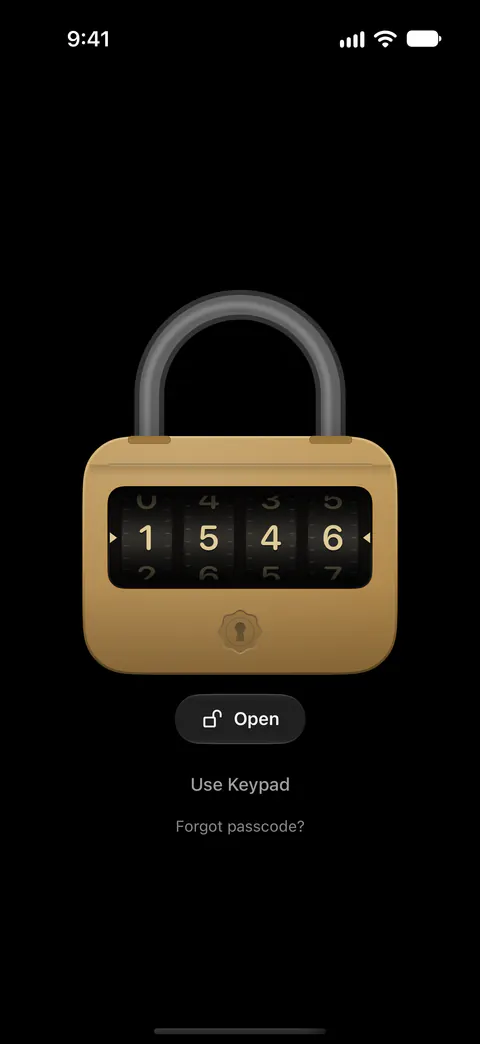
You can open Sealed with Face ID or Touch ID, a 4-, 6- or 9-digit passcode, a password or a pattern. Sealed has seven lock screen styles: Keypad, Vault Dial, Padlock, Rotary, Cryptex, Three Turns and Knock. Every lock screen style except the Keypad is part of Sealed Pro. Every lock screen style is another way to enter your passcode, so it changes how you enter it and not how many combinations it has.
A decoy vault opens with a second passcode, and it is part of Sealed Pro.
When someone guesses
By default, after three wrong passcodes in a row Sealed locks entry for 30 seconds, then for 1, 5, 15 and finally 60 minutes after each further wrong try.
Break-in alerts take a short burst of front-camera photos after wrong passcodes, and note where it happened. Break-in alerts are off until you turn them on, and the photo also needs camera permission. A break-in photo is encrypted like everything else and opens only after you unlock, and the location saved with it never leaves the phone.
When you step away
Sealed locks as soon as you leave it unless you choose a delay, and it covers its contents in the app switcher. Sealed can lock when you shake the phone or set it face down.
Sealed covers its contents while the screen is being recorded or mirrored, and that is on by default.
Extra locks
Dual Lock asks for your passcode and a Face ID match together, and it is part of Sealed Pro.
Location lock opens the vault only at places you trust, and it is part of Sealed Pro.
Each stack can have its own lock, and stack locks are part of Sealed Pro.
If someone makes you unlock
A duress passcode or duress pattern opens your decoy vault and, at the same moment, removes your real vault from this iPhone. The duress code removes the vault from this iPhone only: it sends nothing to iCloud, your encrypted backup stays as it is, and Restore from iCloud brings everything back. Before a duress code can be turned on, Sealed needs a saved recovery key, a decoy vault with something in it, and an iCloud backup that it has just checked item by item. The duress code is part of Sealed Pro.
Backup and your recovery key
Backup goes to your own iCloud account, not to a server of ours. Files, names, notes and record fields are encrypted on your iPhone before they are uploaded, so iCloud receives only ciphertext.
Backup records have plain types such as VaultItem and SecureNote and random identifiers, so iCloud can see that a backup exists and roughly how many records it holds.
Encrypted iCloud backup is free. Backup uses your iCloud storage, and when it is full Sealed says so and stops adding new items.
Sealed asks you to save your recovery key before it turns backup on. The first time you save your recovery key, Sealed also turns on iCloud Backup, which is free. You can switch iCloud Backup off again in Settings, under Sync & Backup.
During setup Sealed gives you a recovery key: a long code of letters and numbers, in groups, that can bring your vault back.
Anyone who holds your recovery key can open your vault, and Sealed’s printed key sheet says never to keep it in a photo, a message or an email. Treat it like a password, and keep it somewhere private.
In a vault made by the current Sealed, the recovery key is not the vault key itself: it opens a small envelope that holds the vault key, which is why the recovery key can be replaced. You can make a new recovery key in Settings; the current one keeps working until the new one is saved and your next backup finishes, and anyone with the old key and an old copy of your backup could still open that copy.
The recovery key is the only way to decrypt an iCloud backup on a new iPhone. Your vault key stays on the iPhone it was made on, so on a new iPhone Sealed asks for your recovery key.
While your vault is open you can see your recovery key again in Settings, under Sync & Backup, then Recovery Key.
Other ways back to your key
- A sealed copy. A sealed copy locks your recovery key under a phrase only you know, so the copy can sit in your email or in Notes. A sealed copy is a block of 175 letters and numbers, locked with AES-256-GCM under a key made from your phrase by PBKDF2-HMAC-SHA256 at 1,000,000 rounds.
- Key guardians. Key guardians split your recovery key into 3 parts where any 2 bring it back, or into 5 parts where any 3 do, one part for each person you trust. One guardian’s part on its own tells nothing about your key.
- The open copy. The open copy keeps a copy of your vault in your iCloud Drive, in a folder named Sealed, that opens without the app on any computer, with your recovery key and the Sealed reader. Everything in the open copy stays encrypted, it uses about as much iCloud Drive space as your vault, and it is only as current as its last save. The open copy is off until you turn it on, and the automatic copy starts only once your recovery key is saved.
Sending a share
You can send someone an encrypted copy of an item that opens in Sealed with a passphrase you choose, and creating one is part of Sealed Pro.
A share is locked with a key made from its passphrase by PBKDF2-HMAC-SHA256 at 600,000 iterations, then encrypted the same way as the vault. Sealed asks for a passphrase of at least 6 characters when you create a share. Sealed tells you to send the passphrase a different way from the file: in person, or through another app.
An encrypted share can end after an hour, a day, 7 days or 30 days, and the receiving phone removes the item when it expires. A share of a photo, video or PDF can be view only, which leaves it no way out of the receiver’s vault. Sealed enforces a share’s limits on the phone that receives it, and says they can’t stop a screenshot or be taken back once the share is sent.
If you received a share, here is how to open it.
What runs without your vault key
- The Lock Screen camera. Each Lock Screen camera photo is encrypted before it is written, never goes to Photos, and appears in the vault the next time you unlock it.
- Find Private Photos. Find Private Photos runs on your iPhone: nothing is sent anywhere, and the text it reads isn’t kept. Sealed remembers only which photos it has checked and what it found in each, never the text, in a file on the iPhone that is left out of device backups and never synced.
Where Sealed helps, and where it doesn’t
It helps when your phone is in someone else’s hands for a minute. Sealed locks as soon as you leave it unless you choose a delay, and it covers its contents in the app switcher.
It helps when your phone is lost. You can restore your vault on a new iPhone from your backup, with your recovery key.
It helps when you want your private files kept apart from the camera roll and from any company’s servers. We run no server, so there is nothing of yours for us to see.
It doesn’t do these things:
- Protect a copy that has left the vault. Until you delete them, the originals stay in Photos, outside the vault. Your files never leave your iPhone unless you turn on iCloud backup or export them yourself.
- Get you back in without your passcode or your recovery key. Because your key never reaches us, we cannot recover your vault or reset your passcode for you.
- Keep the key from the app while the phone is unlocked, unless Maximum Security or a vault passphrase is on. Without Maximum Security, the app can read your vault key whenever the phone is unlocked, because the key sits in the Keychain. Your passcode is a gate in front of the app. It is not part of the key.
- Protect you from someone who can make you unlock. Sealed says plainly that the duress code is not a forensic wipe, that anything not yet in iCloud is lost, and that anyone who can make you unlock with Face ID or Touch ID, or who knows your real passcode, still sees your real vault.
- Make a weak share passphrase strong. Sealed asks for a passphrase of at least 6 characters when you create a share. A longer one is better.
- Keep your vault if you delete the app with backup off. If you delete Sealed from an iPhone while iCloud Backup is off, the vault on that iPhone is deleted with it.
- Turn everything on for you. Break-in alerts are off until you turn them on, and the photo also needs camera permission.
- Include every protection in the free plan. Sealed Pro adds privacy tools including the decoy vault, a duress code, break-in photos, Dual Lock, Location Lock, Maximum Security, locked stacks and seven lock screens.
Report a security problem
If you think you have found a weakness in Sealed, write to support@loopware.app with “Security” in the subject. Say what you saw, what you did to see it and which version of Sealed you had. Please leave other people’s photos and data out of the report, and give us a reasonable time to fix a problem before you write about it in public.
We read every report and reply to it. When we fix a problem that affects people’s files, we say so in the release notes.
Questions and answers
Which encryption does Sealed use?
Sealed encrypts every file with AES-256-GCM before it is saved. Each file gets its own random 256-bit key, and that key is sealed with your vault key. Large files are encrypted in chunks, and Sealed refuses a file that has been changed, reordered or cut short.
Where is my key stored?
Your vault key is kept in the iPhone Keychain, on this device only, and it can be read only while the phone is unlocked. Your vault key never reaches us.
Can Sealed open my vault for me?
Because your key never reaches us, we cannot recover your vault or reset your passcode for you. We run no server, so there is nothing of yours for us to see.
What does Maximum Security change?
Maximum Security seals your vault key to a Secure Enclave key that can be used only after a live Face ID or Touch ID match. Before you can turn on Maximum Security, Sealed asks you to save your recovery key, because it is the only way back in if your Face ID or Touch ID ever changes.
Is my iCloud backup private?
Files, names, notes and record fields are encrypted on your iPhone before they are uploaded, so iCloud receives only ciphertext. Backup goes to your own iCloud account, not to a server of ours. Backup records have plain types such as VaultItem and SecureNote and random identifiers, so iCloud can see that a backup exists and roughly how many records it holds.
Sources
What this page says about Sealed was checked against the app on .
- Apple Platform Security, The Secure Enclave — what the Secure Enclave is, which Maximum Security uses
- Apple Platform Security, Keychain data protection — how Keychain items are kept on one device
- Apple Developer Documentation, AES.GCM — the cipher Sealed uses, through Apple’s CryptoKit
- NIST SP 800-38D, Galois/Counter Mode — the standard that defines GCM
Get Sealed
Sealed is free to download, and Sealed Pro is an optional in-app purchase.