Guide
Are photos encrypted on iPhone? What Apple encrypts, and what the Hidden album is
Yes. Apple says all data on an iPhone is stored in encrypted form, and that setting a passcode turns on Data Protection. In iCloud it depends on one setting. By default, Apple keeps the encryption keys for iCloud Photos, Notes and iCloud Drive in its own data centers so that it can help you recover them, and only the optional Advanced Data Protection makes them end-to-end encrypted. The Hidden album is a lock on viewing: Apple doesn’t describe it as separate encryption.

On this page
What the iPhone itself encrypts
Apple calls the layer under everything else Data Protection.
- All data on the phone is stored encrypted. Apple’s guide says a file with no protection class “is still stored in encrypted form (as is all data on an iPad, iPhone, and Apple Vision Pro)”.
- A passcode turns Data Protection on. Apple says that by setting a passcode “the user automatically enables Data Protection”, and that someone holding the phone “can’t get access to data in specific protection classes without the passcode”.
- Photos uses it, and so do other apps. Apple lists Photos among the system apps that use Data Protection by default, adds that “third-party apps receive this protection automatically”, and says each new file gets its own 256-bit key.
So a phone that is off, or locked with a passcode you haven’t given anyone, keeps its photos encrypted. Once it is unlocked, iOS decrypts them for whoever is holding it. Apple’s classes are rules about when data can be read, not checks on who is reading.
What iCloud does with the keys
If you use iCloud Photos, your photos are in iCloud too. Apple’s iCloud data security overview gives two settings.
| Photos in iCloud | Encryption | Who holds the keys |
|---|---|---|
| Standard data protection (the default) | In transit and on the server | Apple |
| Advanced Data Protection (optional) | End-to-end | Your trusted devices |
- Standard. Apple says your iCloud data is “encrypted in transit and stored in an encrypted format at rest”, that the keys “are secured in Apple data centers”, and that “Apple can decrypt your data on your behalf whenever you need it”.
- Advanced Data Protection. With it on, Apple says “your trusted devices retain sole access to the encryption keys for the majority of your iCloud data”, and lists Photos as end-to-end encrypted.
- The cost. If you lose access to your account, Apple will not have the keys to help you recover it. That is why it asks you to set up a recovery contact or a recovery key first.
- What it leaves out. Apple says some metadata stays under standard protection even with Advanced Data Protection on, and that Shared Albums in Photos don’t support it.
To turn it on, Apple’s steps are: Settings, your name, iCloud, then Advanced Data Protection and Turn on Advanced Data Protection. You need two-factor authentication, a passcode, and iOS 16.2 or later on every device signed in to your Apple Account.
The Hidden album
Apple’s page on the Hidden album says photos you move there no longer show in the Library, other albums or the Photos widget, that from iOS 16 the album is locked by default and needs authentication to open, and that with iCloud Photos a photo moved there on one device moves on your other devices too.
What Apple’s pages don’t say is that those photos are encrypted any differently from the rest of your library. Three limits follow:
- It is a lock, and the phone’s own Face ID opens it. Apple says Face ID or Touch ID is required to view the Hidden album and Recently Deleted by default, and that turning off Use Face ID in the Photos settings leaves both unlocked.
- Its flag isn’t end-to-end encrypted. Apple’s overview lists the flags that mark a photo as a favorite, as moved to that album or as deleted among the Photos metadata that stays under standard protection, even with Advanced Data Protection on.
- It holds the same copy. Moving a photo there changes where it shows in the same library. It doesn’t make a second, separately locked copy.
Backups: the other copy of your photos
A backup follows the same rules. Apple says iCloud Backup keys are kept by Apple under standard protection and stay on your devices with Advanced Data Protection. A backup on your computer “isn’t encrypted by default”, Apple says, until you turn on Encrypt local backup. What is in an iPhone backup covers the rest.
How to add encryption you control
- Set a passcode, and make it six digits or longer. It turns on Data Protection.
- Turn on Advanced Data Protection if you use iCloud Photos or iCloud Backup, once you have a recovery contact or a recovery key.
- Encrypt your computer backups with Encrypt local backup.
- Keep chosen photos in an app with keys of its own. Sealed encrypts every file with AES-256-GCM before it is saved. Each file gets its own random 256-bit key, and that key is sealed with your vault key.
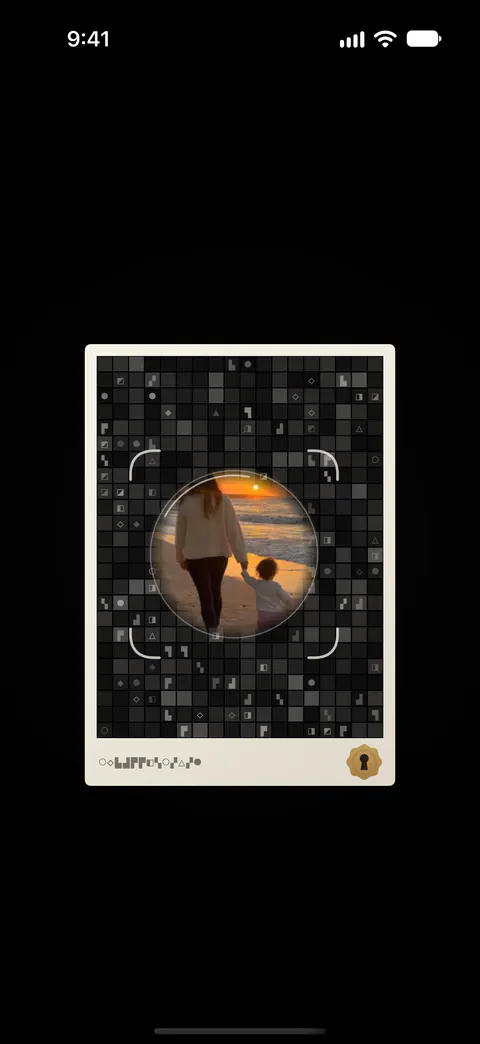
A Sealed backup is separate from iCloud Photos. Backup goes to your own iCloud account, not to a server of ours. Files, names, notes and record fields are encrypted on your iPhone before they are uploaded, so iCloud receives only ciphertext. Your vault key never reaches us. Apple’s overview says third-party app data in iCloud is always encrypted in transit and on the server; Sealed’s backup doesn’t depend on that, because what it sends is already ciphertext.
Where Sealed helps, and where it doesn’t
It helps when you want chosen photos encrypted with a key of their own, kept only on your phone and tied to no account. Your vault key is kept in the iPhone Keychain, on this device only, and it can be read only while the phone is unlocked. Your vault key is a random 256-bit key. It is not made from your passcode. Sealed has no account, so there is nothing to sign up for.
It helps when you want a backup that is encrypted before it is uploaded. Files, names, notes and record fields are encrypted on your iPhone before they are uploaded, so iCloud receives only ciphertext. The recovery key is the only way to decrypt an iCloud backup on a new iPhone.
It doesn’t change how the rest of your library is stored. Until you delete them, the originals stay in Photos, outside the vault. The photos you leave there keep following the rules above.
It doesn’t turn on Advanced Data Protection or encrypt your computer backups for you. Those are settings in iOS and on your computer, and Apple’s pages explain them.
It doesn’t stop someone who can open Sealed with your passcode or your face. Your passcode is a gate in front of the app. It is not part of the key.
Questions and answers
Are iPhone photos encrypted by default?
On the phone, yes. Apple says all data on an iPhone is stored in encrypted form, and that setting a passcode turns on Data Protection. In iCloud they are encrypted too, but under standard data protection Apple holds the keys. By default, Apple keeps the encryption keys for iCloud Photos, Notes and iCloud Drive in its own data centers so that it can help you recover them, and only the optional Advanced Data Protection makes them end-to-end encrypted.
Can Apple see my iCloud photos?
Under standard data protection Apple holds the keys and says it can decrypt your data on your behalf, for example to help you recover it. With Advanced Data Protection on, Photos is end-to-end encrypted and the keys stay on your trusted devices. By default, Apple keeps the encryption keys for iCloud Photos, Notes and iCloud Drive in its own data centers so that it can help you recover them, and only the optional Advanced Data Protection makes them end-to-end encrypted.
Does the Hidden album encrypt my photos?
Apple’s pages describe a lock, not a separate encryption. Photos you move out of the Library into Apple’s separate locked album stay out of the Library, other albums and the Photos widget, and from iOS 16 that album asks for authentication to open. You can also switch that lock off in the Photos settings.
Sources
What this page says about Sealed was checked against the app on .
- Apple Platform Security, Data Protection overview — Photos and third-party apps use Data Protection by default, and each new file gets its own 256-bit key (published August 3, 2026). Read 13 Nov 2026
- Apple Platform Security, Data protection classes — a file with no class is still stored encrypted, as is all data on an iPhone; the four classes (published December 19, 2024). Read 13 Nov 2026
- Apple Platform Security, Passcodes and passwords — setting a passcode turns on Data Protection (published December 19, 2024). Read 13 Nov 2026
- Apple Support, iCloud data security overview — standard data protection and Advanced Data Protection, row by row, and the Photos metadata that stays under standard protection (published January 5, 2026). Read 13 Nov 2026
- Apple Support, How to turn on Advanced Data Protection for iCloud — what you need and the steps on an iPhone (published April 17, 2026). Read 13 Nov 2026
- Apple Support, the Hidden album — where photos in the album stop appearing, the lock from iOS 16, and iCloud Photos (published March 16, 2026). Read 13 Nov 2026
- Apple Support, Delete photos on your iPhone or iPad — Face ID or Touch ID for the Hidden album and Recently Deleted, and turning off Use Face ID (published March 31, 2026). Read 13 Nov 2026
- Apple Support, About encrypted backups on your iPhone, iPad, or iPod touch — backups on a computer are not encrypted by default (published September 21, 2026). Read 13 Nov 2026
- Sealed on the App Store — the listing for the app this page compares with Apple’s settings
Get Sealed
Sealed is free to download, and Sealed Pro is an optional in-app purchase.

Sealed: Private Photo Vault
Sealed is free to download, and Sealed Pro is an optional in-app purchase.