Comparison
Sealed and Vaultaire, side by side
Both encrypt with AES-256-GCM, need no account and back up for free. Backup goes to your own iCloud account, not to a server of ours. The other app opens only with a pattern that unlocks its key, keeps a nine-word recovery phrase for each vault, and gives free users videos and three vaults for less money. Sealed offers more ways to unlock and keeps records such as logins and cards. Sealed contains no analytics or tracking SDKs, and it collects no data.

On this page
Disclosure. Sealed is made by Loopware LLC. We read Vaultaire’s App Store listing, store page and own site on 13 November 2026, and did not install or test it.
What the two have in common
Vaultaire is built on many of the same ideas as Sealed. Vaultaire’s listing names AES-256-GCM, asks for no account, shows no ads, and includes an encrypted backup to your private iCloud on its free plan, on by default. A second pattern opens a second vault, and Pro adds a duress vault (listing).
Sealed has each of those too. Sealed encrypts every file with AES-256-GCM before it is saved. Sealed has no account, no ads and no tracking. Encrypted iCloud backup is free. A decoy vault opens with a second passcode, and it is part of Sealed Pro. A duress passcode or duress pattern opens your decoy vault and, at the same moment, removes your real vault from this iPhone.
So the choice comes down to the details below.
Where they differ: the key
Vaultaire’s site says your pattern, drawn on a 5 by 5 grid with at least six dots and one change of direction, goes through PBKDF2 with a device-wide salt. That gives a vault key, which unwraps the random master key that encrypts your files (site).
Sealed works the other way round. Your vault key is a random 256-bit key. It is not made from your passcode. Your passcode is a gate in front of the app. It is not part of the key. The cost of that design is plain. Without Maximum Security, the app can read your vault key whenever the phone is unlocked, because the key sits in the Keychain. Two Pro options change it: Maximum Security seals your vault key to a Secure Enclave key that can be used only after a live Face ID or Touch ID match. With a vault passphrase, your vault key is sealed under a passphrase you type every time the vault unlocks, and if you lose it only your recovery key opens the vault.
Each design is described by its own developer, and this page tests neither. Our guide to choosing a passcode or a pattern explains what each way of unlocking protects against.
Side by side
| Sealed (facts checked 13 Nov 2026) | Vaultaire (source, read 13 Nov 2026) |
|---|---|
| Unlocking. You can open Sealed with Face ID or Touch ID, a 4-, 6- or 9-digit passcode, a password or a pattern. It has seven lock screen styles. | A pattern only. The listing says there is no PIN and no password. Listing. |
| The way back in. If you forget your passcode, your recovery key lets you set a new one. Key guardians split your recovery key into 3 parts where any 2 bring it back, or into 5 parts where any 3 do, one part for each person you trust. | A nine-word recovery phrase for each vault, or one you set. Forget the pattern and the phrase, and the data is lost. Site. |
| Free plan. The free plan holds up to 100 photos. On the free plan you can add photos. Videos, documents, notes and records need Sealed Pro. | Up to 3 vaults, with 100 photos and 10 videos in total. Listing. |
| Paid plans. Sealed Pro Yearly costs $39.99 a year, and new subscribers get a 7-day free trial. Sealed Pro Monthly costs $12.99 a month, with no free trial. Sealed Pro Lifetime costs $79.99, paid once, with no subscription and nothing to renew. | Pro at $1.99 a week, $5.99 a month, $19.99 a year or $39.99 for life. Family plans at $49.99 a year or $99.99 for life. Store page. |
| Analytics. Sealed contains no analytics or tracking SDKs, and it collects no data. | Anonymous usage and crash data are on by default, with an off switch in Settings, and crash reports can include file names. Site. |
| Sharing. You can send someone an encrypted copy of an item that opens in Sealed with a passphrase you choose, and creating one is part of Sealed Pro. An encrypted share can end after an hour, a day, 7 days or 30 days, and the receiving phone removes the item when it expires. A share of a photo, video or PDF can be view only, which leaves it no way out of the receiver’s vault. | A whole vault, read-only, to one person with a one-time phrase. It can expire, stop after a number of opens, limit export and screenshots, and be revoked. Pro to create, free to open, and both phones need iCloud. Secure Sharing. |
| Duress. A duress passcode or duress pattern opens your decoy vault and, at the same moment, removes your real vault from this iPhone. The duress passcode is part of Sealed Pro. | A duress pattern opens one vault and removes the others from the device; encrypted backups stay available for recovery with the phrase. Pro. Site. |
| A second device. Other devices join your backup with your recovery key. | Device Sync keeps one vault on iPhone and iPad signed in to the same iCloud account. Pro. Device Sync. |
| What it holds. Sealed is a private photo vault for the photos, videos and documents you’d rather not keep in your camera roll. Records keep logins, 2FA codes, credit cards, bank accounts, IDs and passports, Wi-Fi networks, recovery codes, license keys, contacts and custom fields. | Photos, videos and files. Listing. |
| Languages and devices. 18 languages. Sealed needs iOS 17.0 or later. | 31 languages, iPhone and iPad, iOS 17.0 or later. Listing record. |
Both apps enforce share limits inside the app on the receiving phone, and both say so (Secure Sharing). Sealed enforces a share’s limits on the phone that receives it, and says they can’t stop a screenshot or be taken back once the share is sent.
Where Vaultaire is ahead
- More on the free plan. Ten videos and up to three vaults, so a decoy vault is free too (listing). On the free plan you can add photos. Videos, documents, notes and records need Sealed Pro. A decoy vault opens with a second passcode, and it is part of Sealed Pro.
- Lower prices, and a family plan. Pro is $19.99 a year or $39.99 for life, and a Family Lifetime plan covers your Apple family (store page). Sealed Pro Lifetime costs $79.99, paid once, with no subscription and nothing to renew.
- More languages. It lists 31 (listing record), against Sealed’s 18.
- Sharing a whole vault. A shared vault gets read-only updates, can stop after a set number of opens, and can be revoked (Secure Sharing). Sealed shares one item at a time. You can send someone an encrypted copy of an item that opens in Sealed with a passphrase you choose, and creating one is part of Sealed Pro.
Where Sealed helps, and where it doesn’t
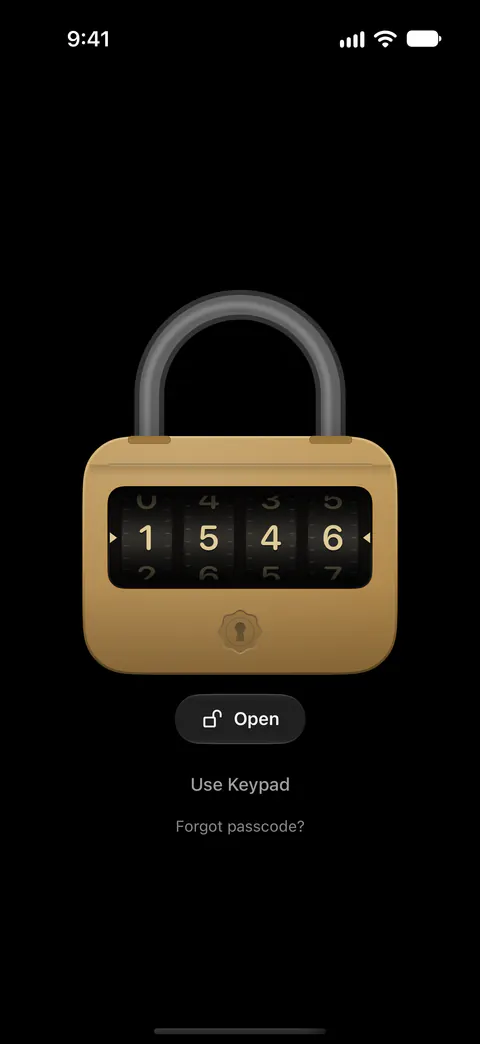
It helps if a pattern isn’t how you want to unlock. You can open Sealed with Face ID or Touch ID, a 4-, 6- or 9-digit passcode, a password or a pattern. See the lock screen styles.
It helps if you want no analytics at all. Sealed contains no analytics or tracking SDKs, and it collects no data.
It helps if you keep logins, cards and codes as well as photos. Records keep logins, 2FA codes, credit cards, bank accounts, IDs and passports, Wi-Fi networks, recovery codes, license keys, contacts and custom fields. 2FA codes stay live in the vault and are ready to copy.
It helps if you want more than one way back in. Key guardians split your recovery key into 3 parts where any 2 bring it back, or into 5 parts where any 3 do, one part for each person you trust. A sealed copy locks your recovery key under a phrase only you know, so the copy can sit in your email or in Notes. Read about key guardians.
It doesn’t give you videos or a decoy vault for free. On the free plan you can add photos. Videos, documents, notes and records need Sealed Pro. A decoy vault opens with a second passcode, and it is part of Sealed Pro.
It doesn’t cost less. Sealed Pro Yearly costs $39.99 a year, and new subscribers get a 7-day free trial. Sealed Pro Lifetime costs $79.99, paid once, with no subscription and nothing to renew.
It doesn’t share a whole vault, or let you take a share back. Sealed enforces a share’s limits on the phone that receives it, and says they can’t stop a screenshot or be taken back once the share is sent.
Questions and answers
Is Vaultaire free?
Its free plan holds up to 3 vaults with 100 photos and 10 videos in total, and includes its encrypted backup. Sealed’s free plan holds photos only. The free plan holds up to 100 photos. On the free plan you can add photos. Videos, documents, notes and records need Sealed Pro. Encrypted iCloud backup is free.
Does Sealed have a duress mode like Vaultaire’s?
Yes, as part of Sealed Pro. A duress passcode or duress pattern opens your decoy vault and, at the same moment, removes your real vault from this iPhone. The duress passcode removes the vault from this iPhone only: it sends nothing to iCloud, your encrypted backup stays as it is, and Restore from iCloud brings everything back.
Which one is more secure?
Neither developer’s pages can prove that, and we tested neither. They make different trade-offs: one unlocks its key with your pattern, the other keeps a random key on the phone behind a passcode, with an option to tie it to your face. Your vault key is a random 256-bit key. It is not made from your passcode. Without Maximum Security, the app can read your vault key whenever the phone is unlocked, because the key sits in the Keychain. Maximum Security seals your vault key to a Secure Enclave key that can be used only after a live Face ID or Touch ID match.
Sources
What this page says about Sealed was checked against the app on .
- Apple, Lookup record for Photo Vault - Vaultaire (id 6758529311), US storefront — the App Store description, seller, version 1.1.2 released 23 Oct 2026, iOS 17.0 or later, 31 languages. Read 13 Nov 2026
- Photo Vault - Vaultaire on the US App Store — the in-app purchases and the privacy label. Read 13 Nov 2026
- Vaultaire, home page and questions — the free plan, the key design, the recovery phrase, analytics and the duress pattern. Read 13 Nov 2026
- Vaultaire, Secure Sharing — what a shared vault can limit, and who can create or open one. Read 13 Nov 2026
- Vaultaire, Device Sync — one vault on iPhone and iPad, part of Pro. Read 13 Nov 2026
- Sealed on the App Store — the listing for the app this page is about
Get Sealed
Sealed is free to download, and Sealed Pro is an optional in-app purchase.

Sealed: Private Photo Vault
Sealed is free to download, and Sealed Pro is an optional in-app purchase.